Ten tabs open before the session, and still no clear picture.
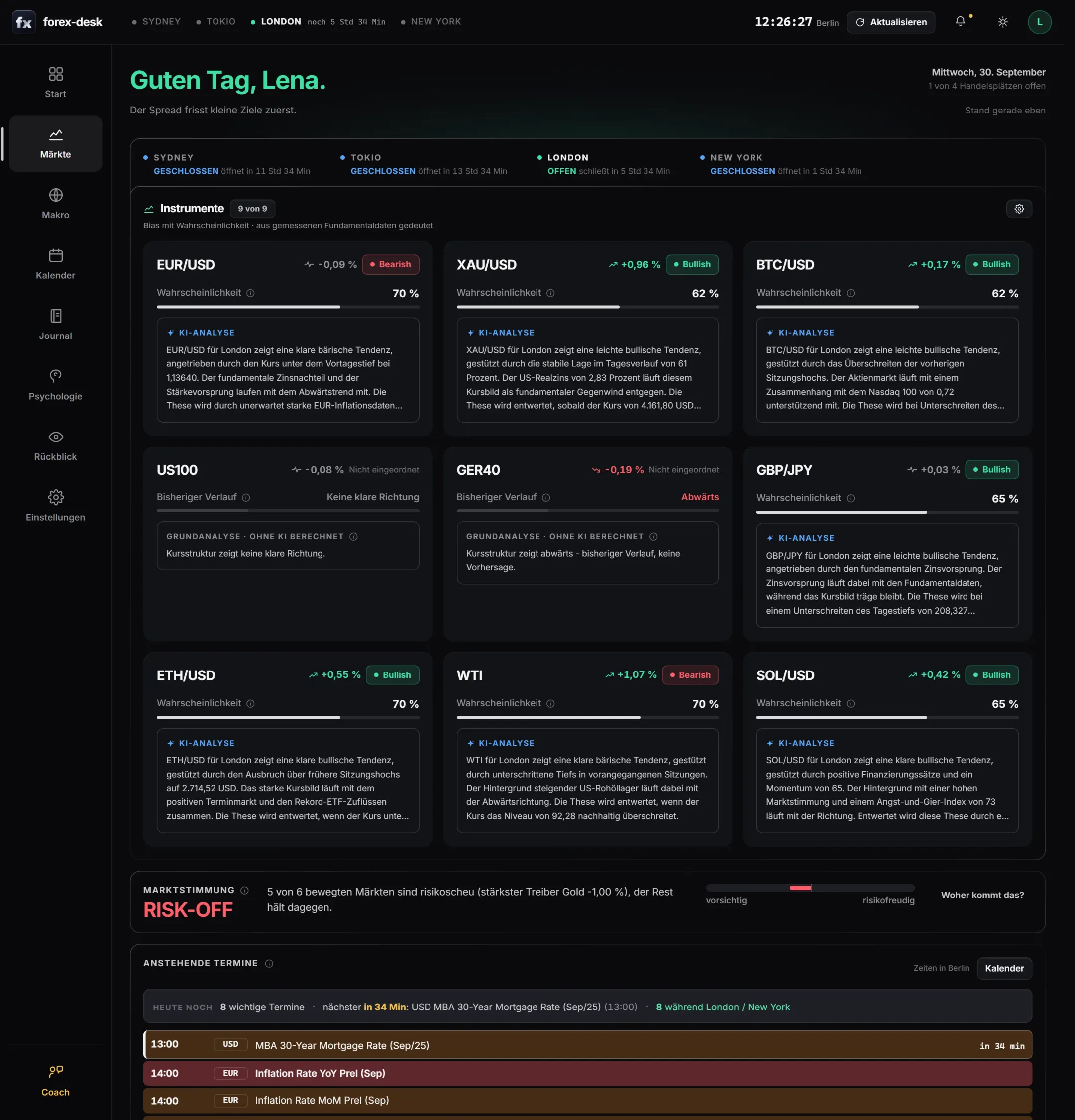
One look shows you direction, probability and a short AI analysis for each of your markets.
Markets, events, your journal and your own psychology in one place. The numbers come from real price and economic data. The AI puts them in context for your next session and shows you which mistakes cost you money.
Launch film without sound: it shows the markets with AI analysis, the journal with your own checklist, the coach, replaying a trade, the mobile app and that every account belongs to you alone. All images use made-up sample accounts.
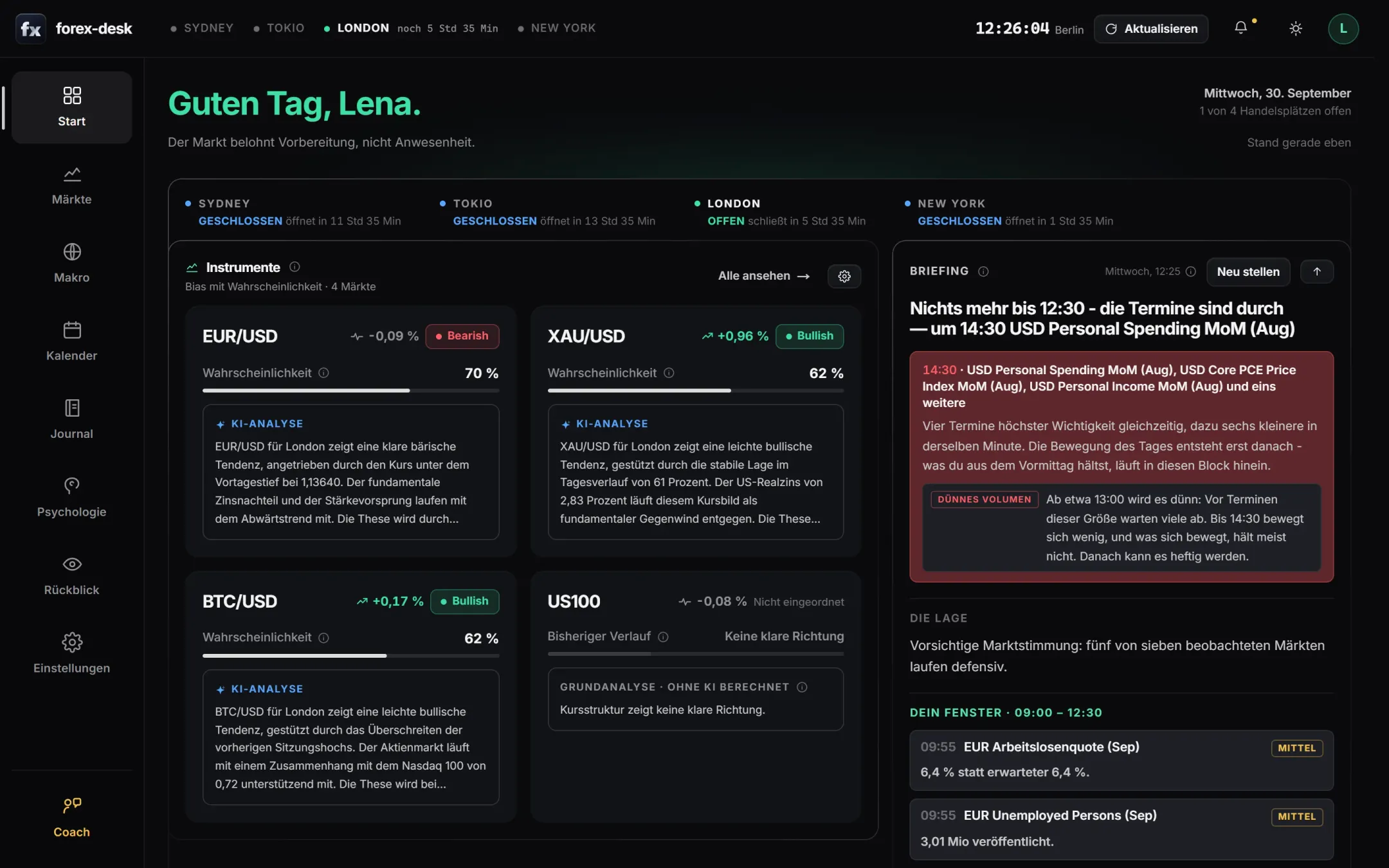
Forex, stocks, stock indices, metals, energy and crypto. You choose yours, and every session gets a fresh assessment.
See at a glance which trading center is open right now.
Every number comes straight from its source and can be checked, with the right source for each market type.
You sign in with what your device can already do.
forex-desk is built for traders in forex, indices, commodities or crypto who prepare their sessions, review their trades honestly and want to know what their mistakes cost.
Ten tabs open before the session, and still no clear picture.
One look shows you direction, probability and a short AI analysis for each of your markets.
One news release at 14:30, and your trade is gone.
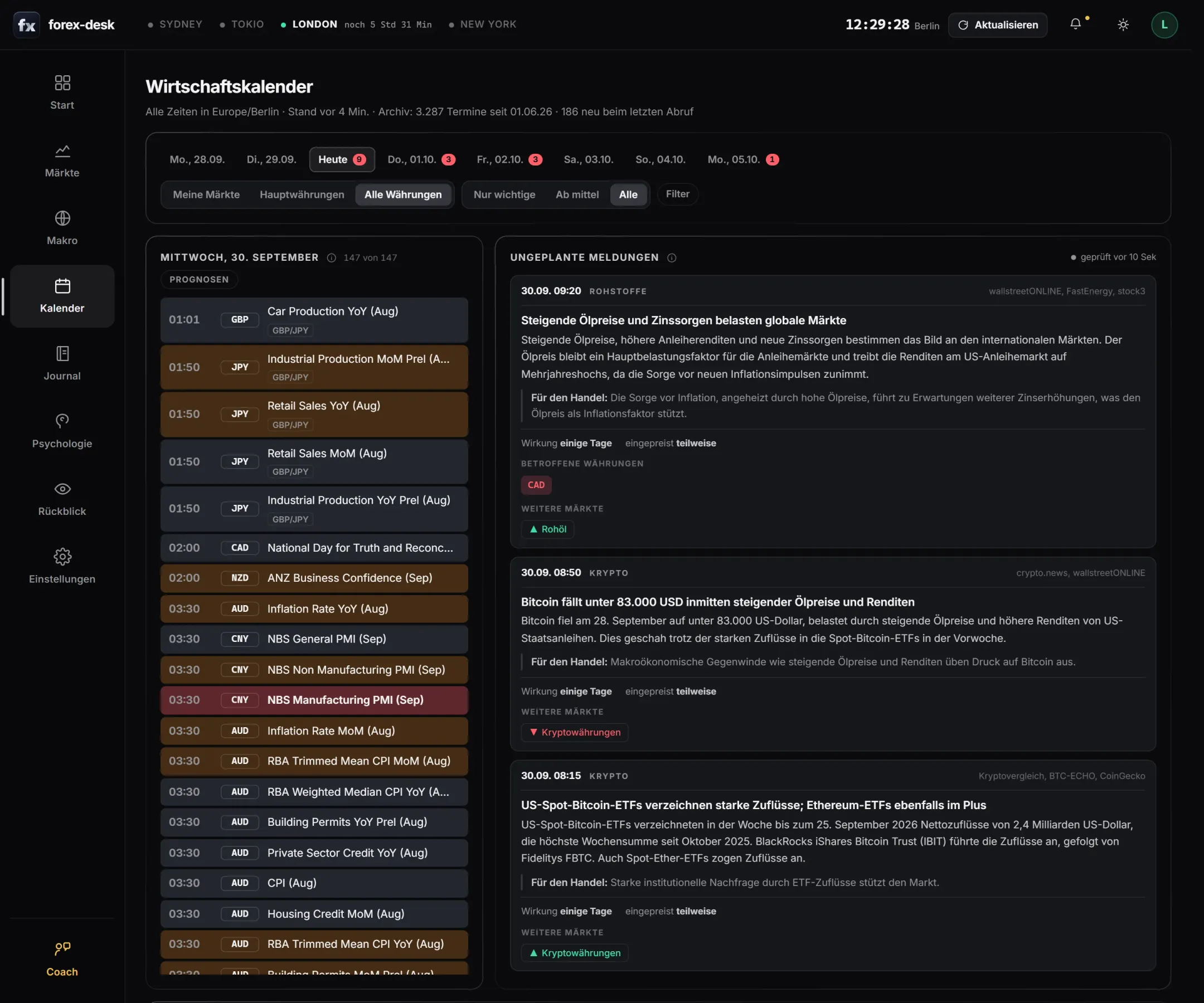
The calendar shows you the major events in your trading window before you enter.
Straight back in after a loss, and losing the next one too.
forex-desk spots revenge trading and shows you what it has cost you so far.
You stick with a spreadsheet journal for three days.
Your trades come in by import. You only add whether you followed your rules.
With your invitation you create an account without a password. In nine steps you choose your markets, trading hours, your risk and your own checklist. Then the coach welcomes you and turns your trading plan into a checklist.
Video without sound: an invitation with a passkey, the nine-step account setup, choosing from 99 markets and the coach's welcome.
One account, the same data. On a laptop the cards sit side by side; on your phone you reach everything with one hand.
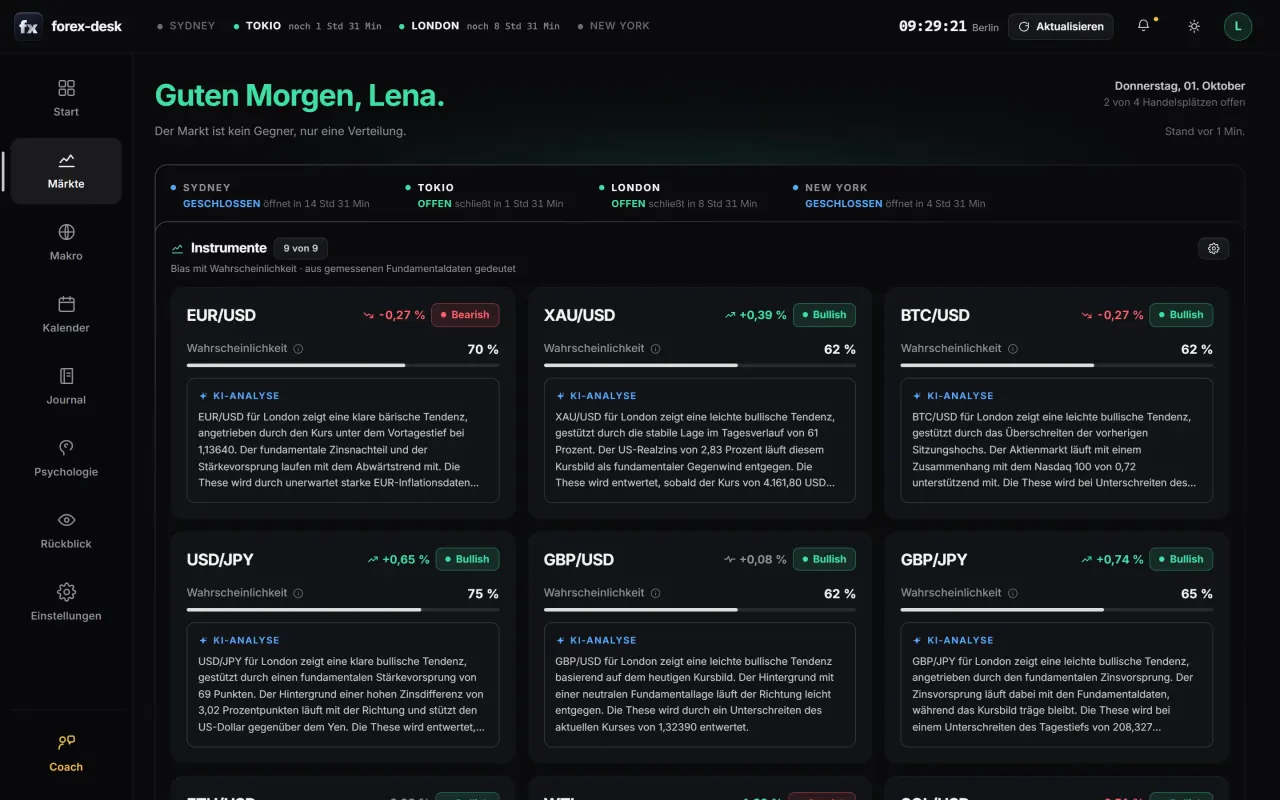
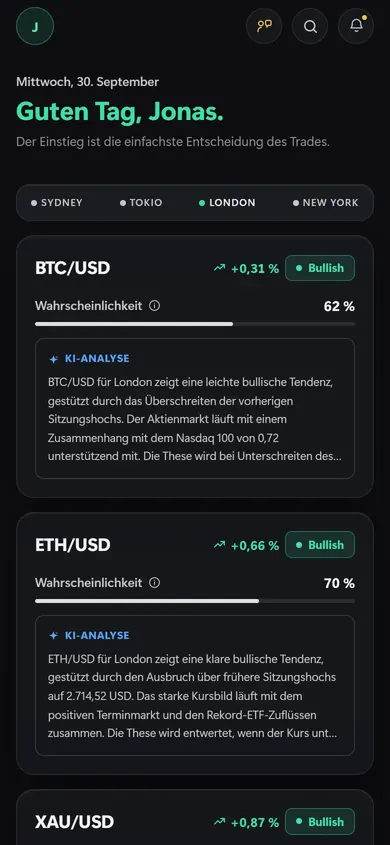
Sidebar on the left with every section
Bottom bar with six sections, within thumb reach
Cards side by side, lots at a glance
One column to scroll, the essentials first
Pinned in the sidebar
At the top, in the header
Visible after Windows Hello
Visible after Face ID
In the sidebar
In the menu behind the fx logo
In the browser or as an installed app
From the home screen, like an app
Both views show the same account. On every device, amounts only become readable after you confirm.
The AI doesn't do the math itself. forex-desk calculates every number from measured data; the AI only gets these values and explains them to you in a few sentences. The decision stays with you.
Prices, interest rates, inflation, the labor market and economic events come straight from the sources. Every number can be checked.
Each market gets a direction, a probability and a short analysis for London or New York. Plus a briefing before your trading window.
Whether and how you trade is up to you. The journal records whether you stuck to your setup, and the psychology review shows what deviations have cost you.
For each of your markets, from EUR/USD and the DAX to Bitcoin, you see direction, probability and a short AI analysis for the next session.
The economic calendar shows what's coming up today, filtered by importance and in your time zone.
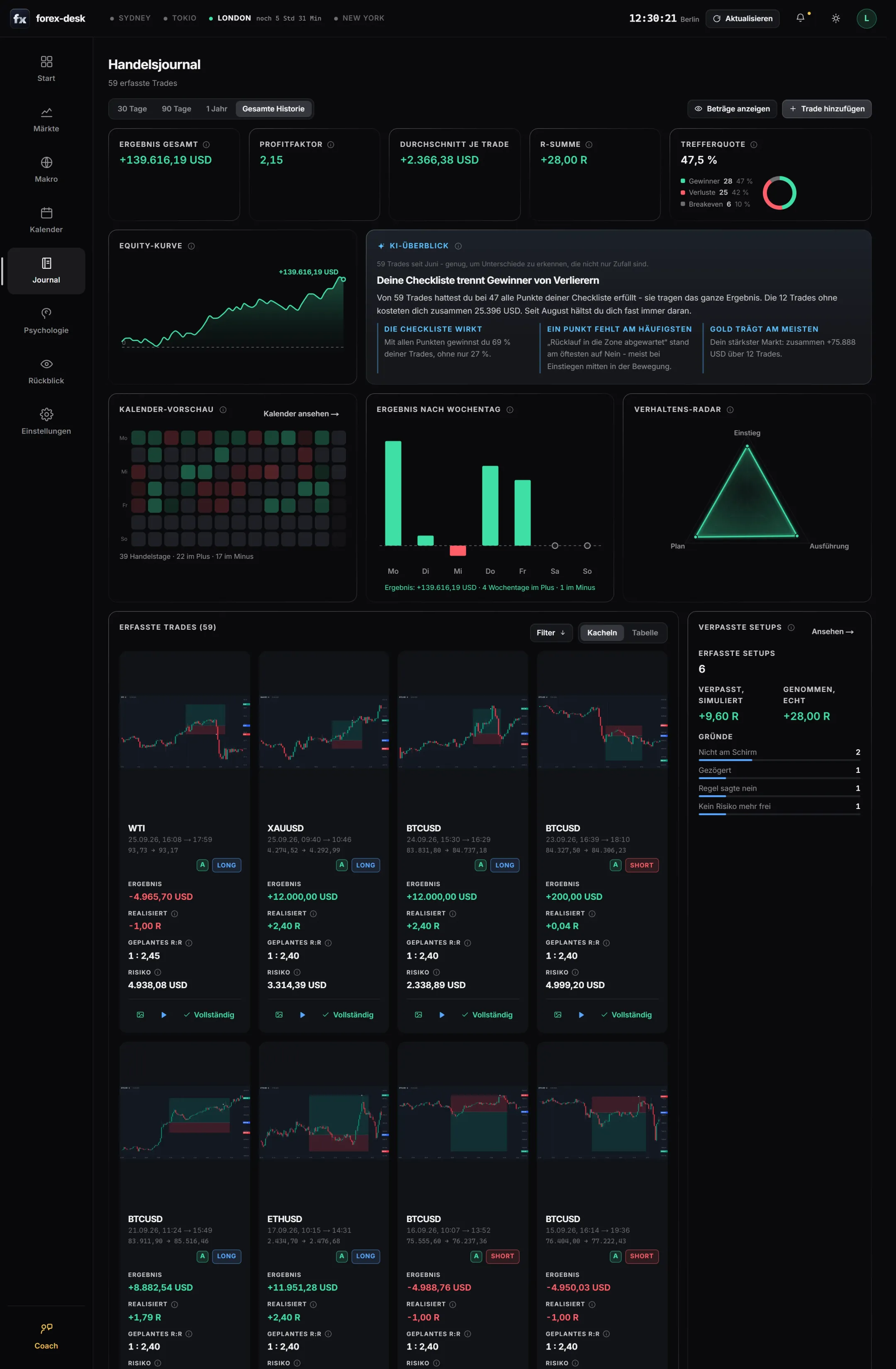
Trades come into the journal via MT5 import, and your own checklist adds what the platform doesn't know.
forex-desk detects patterns like revenge trading, exits out of fear or FOMO entries, and works out what they have cost.
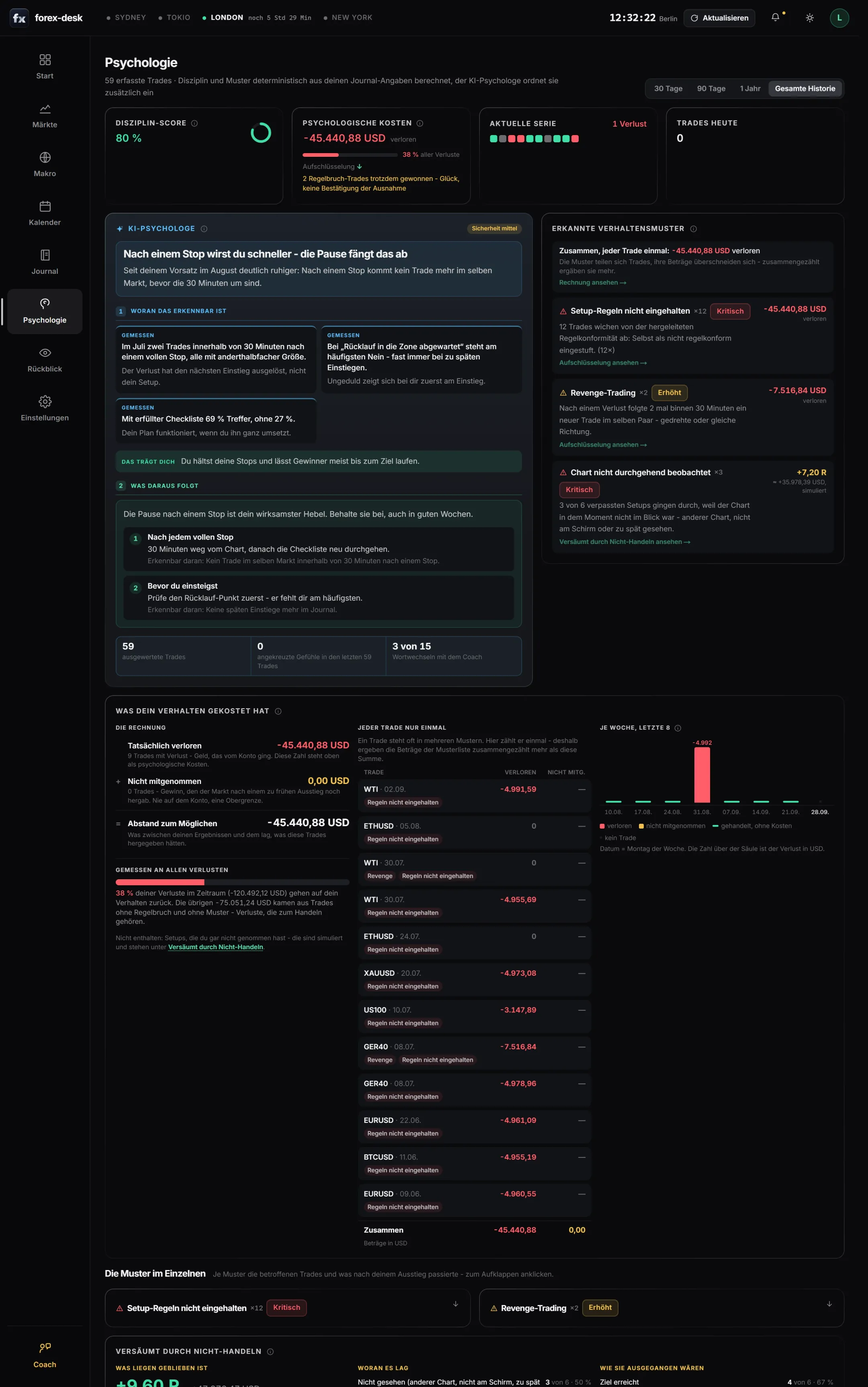
Many traders suspect they get back in too quickly after a loss. forex-desk turns that into clear numbers, in three steps:
forex-desk reads your setup checklist and the price action after your exit. That's how patterns like revenge trading, exits out of fear or FOMO entries stand out.
Every pattern gets an amount, split into what you lost and what you left on the table.
The AI psychologist gives you one concrete step: when it applies, what you do and how you can tell it's working.
Pick a step to see it in the review.
If an item on your checklist isn't met:
Skip the trade and log it as a missed setup.
You can tell it's working when trades without every item become rarer.
If something in your journal stands out, the coach messages you. With the date, the market and the amount it cost.
Instead of lecturing, it asks. It remembers your answer for later.
No textbook slogans: it shows you what your own checklist really does in your trades.
A clear suggestion you can accept or change. The rule applies from the day you choose.
Weeks later it checks whether the rule held, and shows you the next thing to work on.
Example with a made-up account: the coach reaches out because Lena re-entered EUR/USD with a larger position 19 minutes after a stop, twice in July, for a combined loss of 7,517 USD. It asks why, shows that the second entry came from emotion and not from the market, that she wins 69 percent of her trades with every item on her checklist and only 27 percent without, and suggests a 30-minute break after every stop. Seven weeks later it reports that there hasn't been a trade like that since.
A briefing, one clear rule for the day and the events in your window. You know which pairs matter today and what to watch out for.
Your checklist records whether entry, confirmation and risk matched your rules, while it's still fresh in your mind.
Journal, psychology and the weekly review show what works and which habit is costing you money.
Log what you didn't trade, too. The AI shows what would have come of it.
A review every week: what worked, what didn't and what to watch for next week.
Replay every trade and every missed setup on the price chart, candle by candle.
Test on your real trades whether a different exit would have earned more, such as partial profits or moving the stop.
The strength of all major currencies from interest rates, inflation and the labor market, at a glance.
Light or dark, every color role on its own, compact or airy. Your colors apply on every device you're signed in on.
Video without sound: the same page in different color themes, the settings with live preview, compact and spacious layouts and the mobile app in its own colors.
You sign in with Face ID, your fingerprint or your device PIN. There's no password anyone could steal or guess.
forex-desk runs in the browser and can be installed like an app once you're signed in, without any app store.
Tap a question and the answer appears right below.
Yes. In the settings you hide the markets you don't trade and set their order. The journal and the psychology review only work with your own trades anyway.
Yes, if you want to trade by fixed rules. forex-desk shows you where you deviate from them and what that costs. It doesn't replace trading education, and it never suggests trades to you.
Any broker that offers MetaTrader 5: you upload your account statement as CSV or HTML. You add trades from other platforms by hand.
No. forex-desk calculates every value itself from prices and economic data. The AI only gets these measured values and puts them into words; it doesn't calculate anything on top.
Prices come from Yahoo Finance, interest rates and economic data from the ECB and the US Federal Reserve (FRED), and events from the TradingView economic calendar.
No. You upload your account statement from MT5 as CSV or HTML, and the journal imports the trades. You only fill in the setup checklist yourself for each trade, because only you know it.
No. You sign in with a passkey, meaning Face ID, your fingerprint or your device PIN. There's no password anyone could steal.
Sign-up opens soon. Join the waitlist and you'll get an email as soon as it starts.
No. forex-desk is a tool for your own analysis and your journal, not investment advice. Whether and how you trade is your decision, at your own risk.
Sign-up opens soon. Join the waitlist and be there from the very beginning.